Ledger widget
Log spending fast, see where it goes. Ledger has 7 widgets for your dashboard and for the home screen on your phone and computer.

All 7 widgets
- Add entryTap to log spending
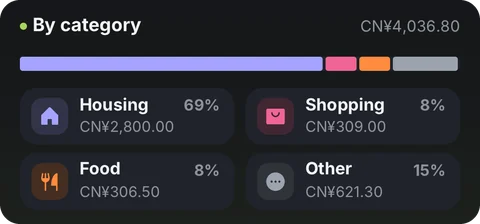
- By categoryWhere this month's money went
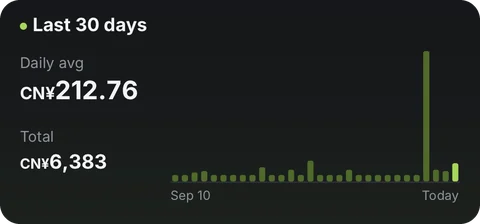
- Last 30 daysSpending by day
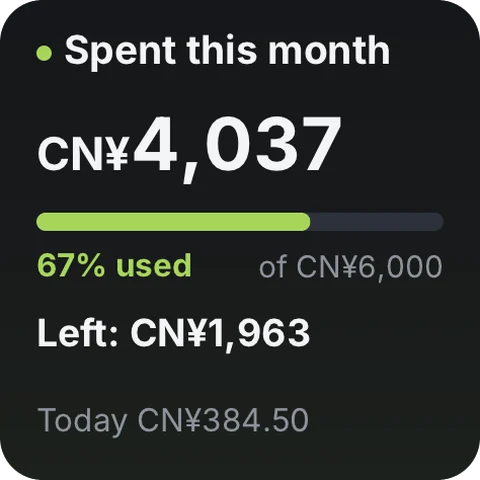
- Spent this monthTotal + budget progress
- Spent this month · tinyCompact total + budget
- Spent this month · miniTotal + budget used
- Recent entriesYour last 6 entries
Where the data comes from
This tool doesn't use the network. What you record stays on your device.
On your home screen
Add the widget to your dashboard in Numable first, then add a Numable widget to your home screen.
Similar tools
 CryptoCharts, order book & funding16 widgets
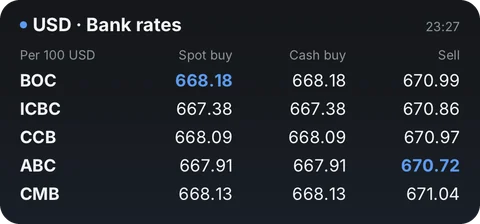 Exchange RatesLive rates, trends & transfer comparisons22 widgets
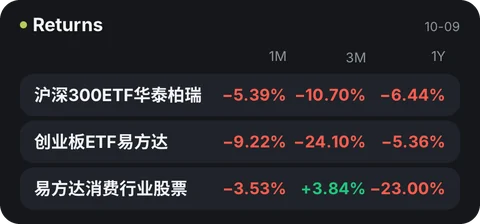 FundsChina mutual fund NAVs and returns7 widgetsFuturesFront-month quotes, OI & intraday8 widgets
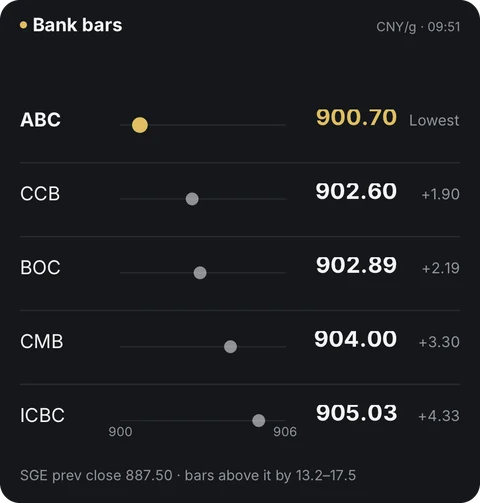 Gold PriceChina & international gold18 widgets
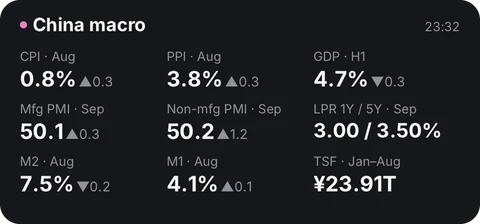 Macro CalendarJobs, CPI & Fed rate vs. forecast14 widgets
Questions
Is Ledger free?
Adding tools is always free. Free includes 6 widgets, 1 dashboard and 2 home screen widgets, updating at most once every 5 minutes. Pro has no limits, and each widget updates as fast as its tool allows.
Does the data go through Numable's servers?
This tool doesn't use the network. What you record stays on your device.
How often do home screen widgets update?
The system decides how often home screen widgets update, so their data can be a little older than in the app. On HarmonyOS, service widgets show what was on screen the last time you opened Numable.
Which devices are supported?
iPhone, iPad, Mac and Android are available now, each with system home screen widgets. HarmonyOS NEXT and the Windows desktop app are coming soon.